How we built SVM in four days at the Epic AI MegaJam
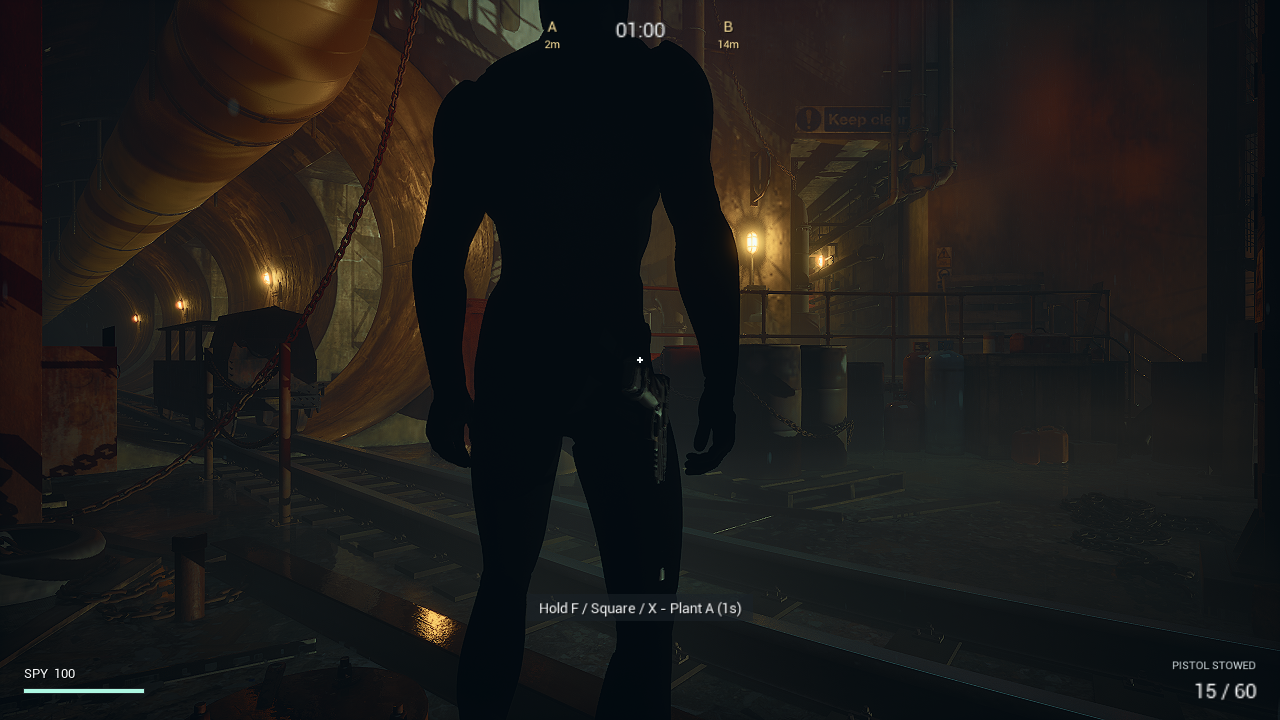
Two players can stand in the same tunnel in SVM and see entirely different games. The Spy sees a ledge overhead and a pipe they can climb. The Merc sees the tunnel through a first-person flashlight beam and has to figure out where the Spy went. Getting that moment to work between two computers was the point of our four days at the 2026 Epic AI MegaJam.
Download the Windows build or visit the official jam entry. You can explore the tunnel on your own or host a match and give a friend the join code.
Thursday, November 12 · Give each player a different way through the room
We came into the jam with a specification and a separate feasibility prototype. The jam build started as a fresh C++ Third Person project in the Unreal Engine 5.9 MegaJam Preview. We imported the licensed source assets and built the custom gameplay again. The first question was small enough to test in an almost empty room. Could a player reach a wall, grab it, climb over the lip, and have a second player see the same movement?
We kept movement and network prediction in Unreal’s Character Movement Component. The climbing player could respond immediately to the controller while the server checked the move. We made small test spaces for walls, pipes, and ledges before putting the same moves in the tunnel. A flat test wall tells you whether an input works. A pipe above a drop tells you whether someone can actually use it. Vitor Cantão’s climbing guide was one of our references.
Friday, November 13 · Let the Spy leave the camera behind
The Spy-der Bot gave the Spy a second point of view. Drop the little robot, take control of it, and the Spy’s body stays behind. That made a much better test than an isolated model spinning in an asset viewer. Where does the camera go on deployment? What does the Merc see when the robot latches on? When the Spy takes control back, where does the player expect to be looking?
We also spent the day on the characters themselves, including the Merc’s moving body and the Spy’s transition between climbing and holding the pistol. Retargeting a purchased animation got us a starting pose. Playing those transitions in the tunnel showed us which ones still needed work. Codex helped with the C++ changes, retargeting tools, and repeatable checks. Choosing the movement and reviewing how it felt on a controller stayed with us.
Saturday, November 14 · Give both roles a reason to be there
By Saturday a Spy could move around the tunnel. The next job was giving the Merc a reason to watch a particular doorway. Two underground carts became objectives A and B. The Spies had five minutes to secure both, with a three-second interaction to plant at each cart and a ten-second defense. The Mercs could interrupt or defuse. Suddenly the overhead route had a purpose.
We played the packaged round and tightened the places where the environment got in the way. A ledge catch that worked in the lab could miss the actual tunnel edge. Turning a cage corner could pull the Spy away from the surface. Moving from the test course to the real route also showed us where players needed a planting prompt and where the debug display could go.
Sunday, November 15 · Get a stranger from download to match
We connected the Dark Ruins exterior to the underground level. Going from a bright entrance into a dark tunnel made exposure a gameplay issue. If your eyes took too long to adjust, you lost the player you were following. Camera direction on different controllers, the opening view, and night-vision readability all earned time on the last day.
Then came the test that mattered for delivery. A desktop hosted and a Windows handheld joined from a phone hotspot on an earlier packaged build. That proved two real devices on separate networks could meet in the game. The final update got local two-player checks and went through itch before the cutoff. A complete four-player internet match and a fresh handheld pass on that final update are still open playtests.
Try the jam build with a friend
- Both players download the same full Windows build from the SVM game page. Extract the whole ZIP and launch Play-SVM.cmd, or use Play in the itch app.
- You start in offline exploration. Try a grab at the tunnel wall and look for a route above floor level. Open the pause menu for the controls.
- For a private match, one player chooses Play online / host. After loading, open the menu again and copy the 12-character match code. The other player chooses Join online and enters it. The host needs to keep the game running.
If you try it, tell us which route you took and whether your opponent saw you coming. That’s the part we wanted to build in the first place. Leave feedback on the jam entry.